
In this Wispr Flow review, I break down what I love, what I don't, and whether this AI dictation app is worth your money.
Why I Gave Up On Typing

I have neuropathy. After years at the keyboard, my hands and arms pushed back, and I needed to type and click less.
Windows Voice Access helped, and its number navigation and voice commands are clever. But its basic dictation missed about one word in five and typed every "um" as raw voice input, full stop. I broke that tradeoff down in a separate Wispr Flow vs Windows Voice Access comparison.
Then a friend showed me Wispr Flow. The first time it turned my rambling into usable text, I laughed out loud. This was a different kind of tool, and I have not gone back.
A lot of people are switching as voice goes mainstream, with the speech recognition market projected to top $53 billion.
When Wispr's servers hiccuped yesterday and I had to type for an hour, I was beside myself. That is when I wrote the Wispr Flow review I wish I'd read first.
Try Wispr Flow to see whether AI dictation can replace your daily typing. Any current promo will apply automatically.
What Is Wispr Flow?
Before this Wispr Flow review digs into testing, here is the plain version.
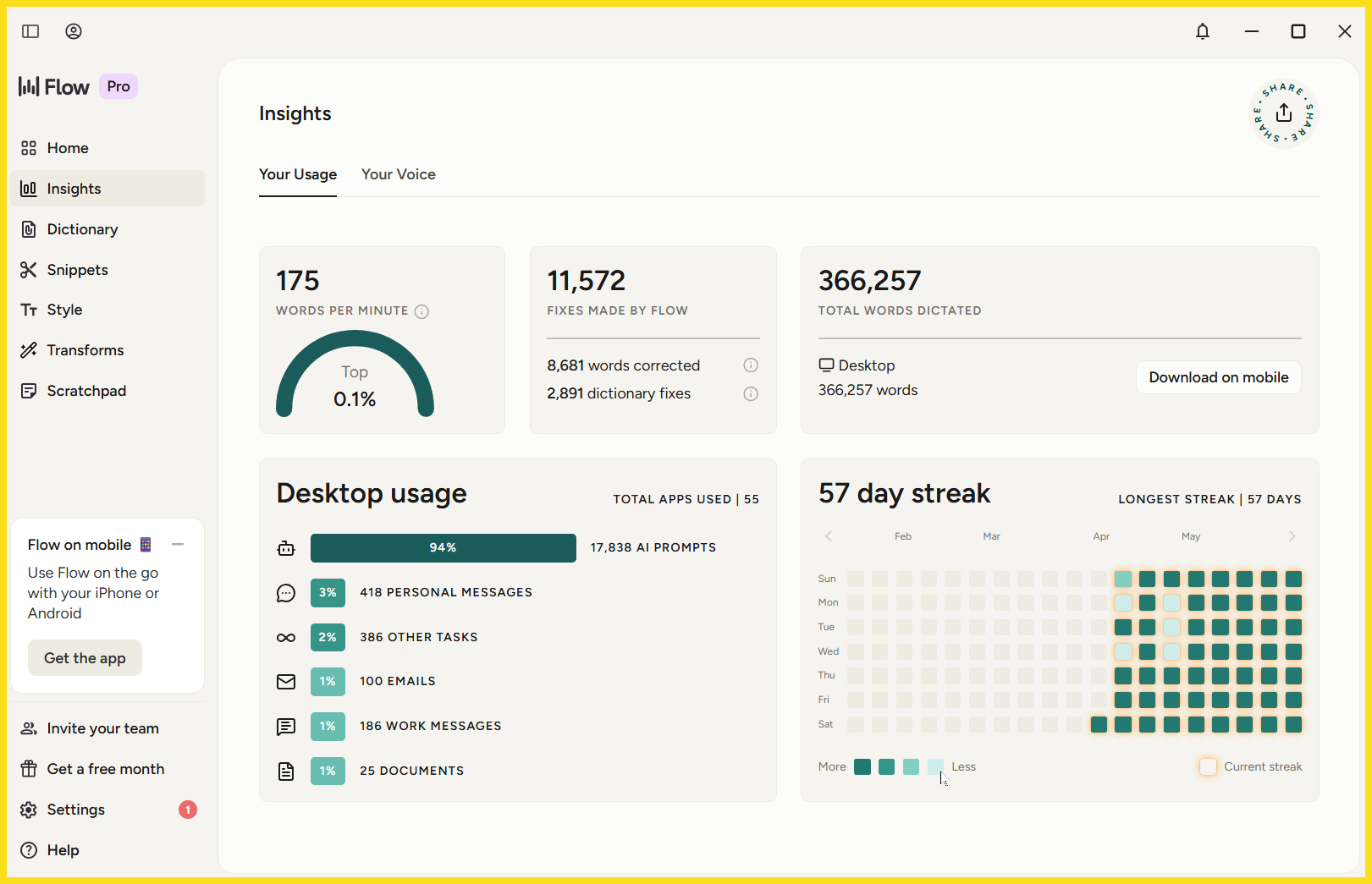
Image source: my own desktop.
Wispr Flow is an AI-powered voice dictation app for desktop and mobile that turns natural speech into clean, usable text. As you talk, it strips filler words, adds punctuation, and fixes phrasing in real time.
It works in different apps you already use: Gmail, Outlook, Slack, Notion, Google Docs, Asana, VS Code, and AI tools like ChatGPT and Claude. On mobile, the iPhone app adds an AI voice keyboard.
The difference from basic speech-to-text is intent. Plain transcription writes every sound; this AI dictation tool writes what you meant, full stop.
That matters if your search started with plain speech to text, voice to text, or voice-to-text tools. Flow is dictation software, but it feels more like AI writing help for productivity and technical writing.
How I Tested This Wispr Flow Review
This Wispr Flow review is built on weeks of real use, not a quick demo. I ran Flow across two Windows desktops, a Windows laptop, and a borrowed MacBook Pro.
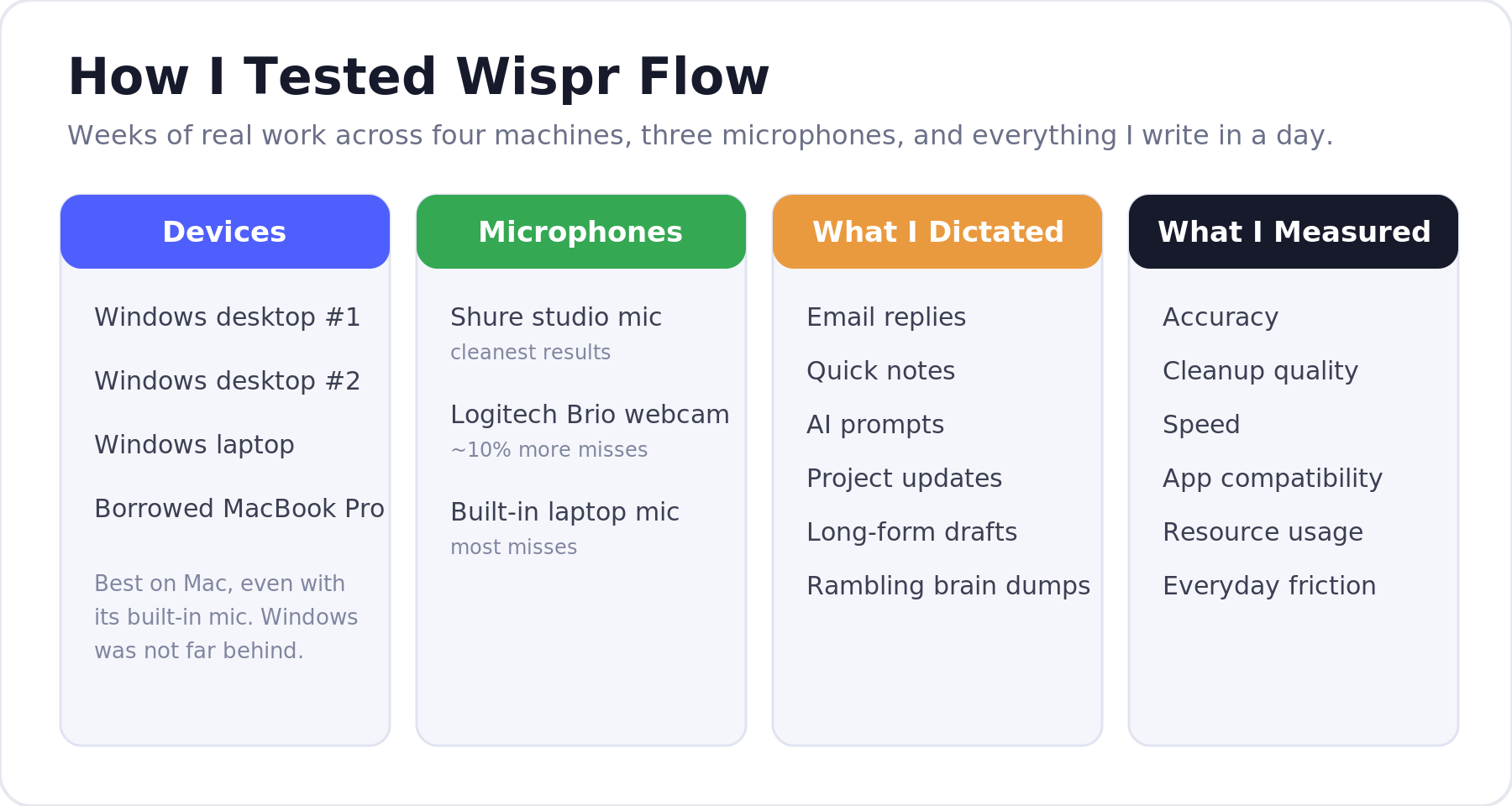
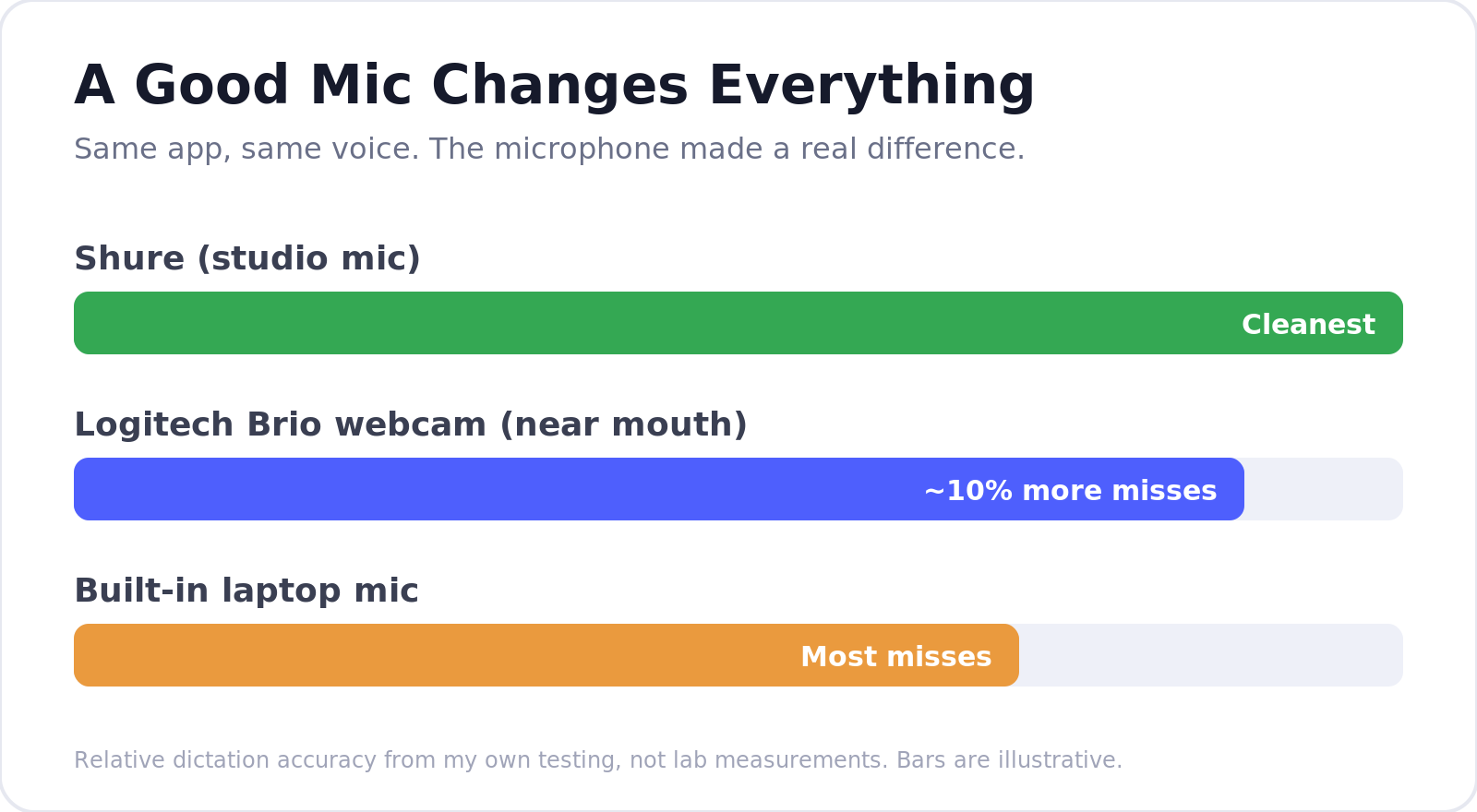
The biggest surprise was hardware: your microphone matters more than any setting. My Shure studio mic was cleanest. My Logitech Brio webcam, held close, missed about 10% more. The built-in laptop mic was worst of all.
Performance was best on the Mac, even with its built-in mic, though Windows was close.
I was a fast typist, a hack who never learned the proper QWERTY keys, but I topped out near 85 words a minute. With Wispr Flow I hit 150 to 160 on my desktop and 143 on my laptop, and that much time saved adds up.
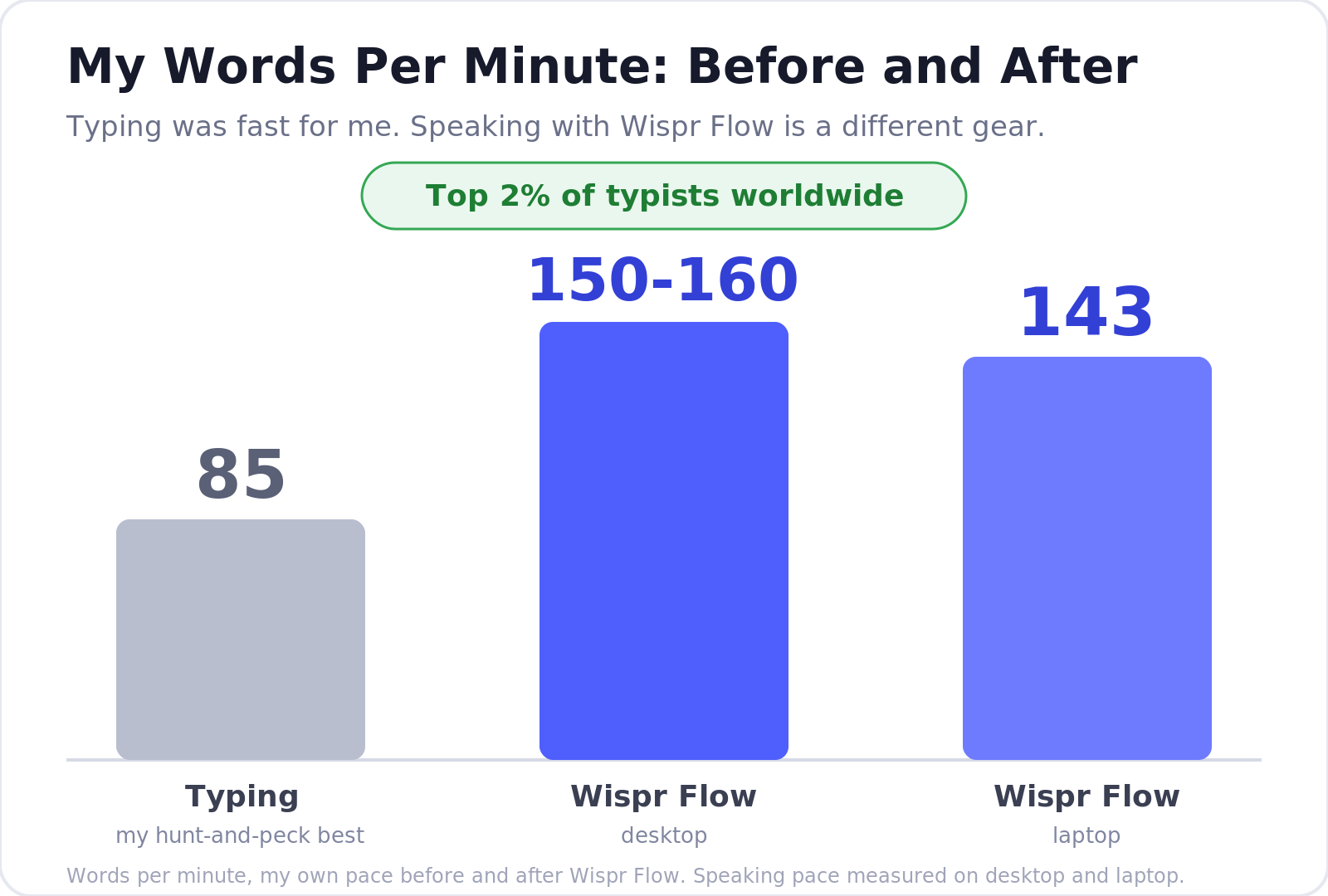
Those speaking speeds put me in the top 2% of typists worldwide.
Try Wispr Flow with your best microphone and compare it against your normal typing speed.
Wispr Flow Review Scorecard
For this Wispr Flow review, I rated the five things that matter most, and here is the overall rating.
| Category | Rating | Notes |
|---|---|---|
| Dictation quality | 9/10 | Much cleaner than built-in tools |
| Ease of use | 8/10 | Simple once shortcuts are learned |
| Privacy | 7/10 | Stronger now, but still cloud-based |
| Value | 9/10 | Worth it if it replaces daily typing |
| Overall | 8.5/10 | Best for serious voice-first workflows |
How Wispr Flow Works
A fair Wispr Flow review should show how simple the setup process is. Install from the official site, grant permissions, and you are set.
Video credit: Tool Finder on YouTube.
- Put your cursor in any text field.
- Trigger Wispr Flow with the fn key, push-to-talk, or hands-free mode.
- Speak naturally.
- Release or stop recording.
- Review the cleaned-up output.
- Add technical terms to your custom dictionary.
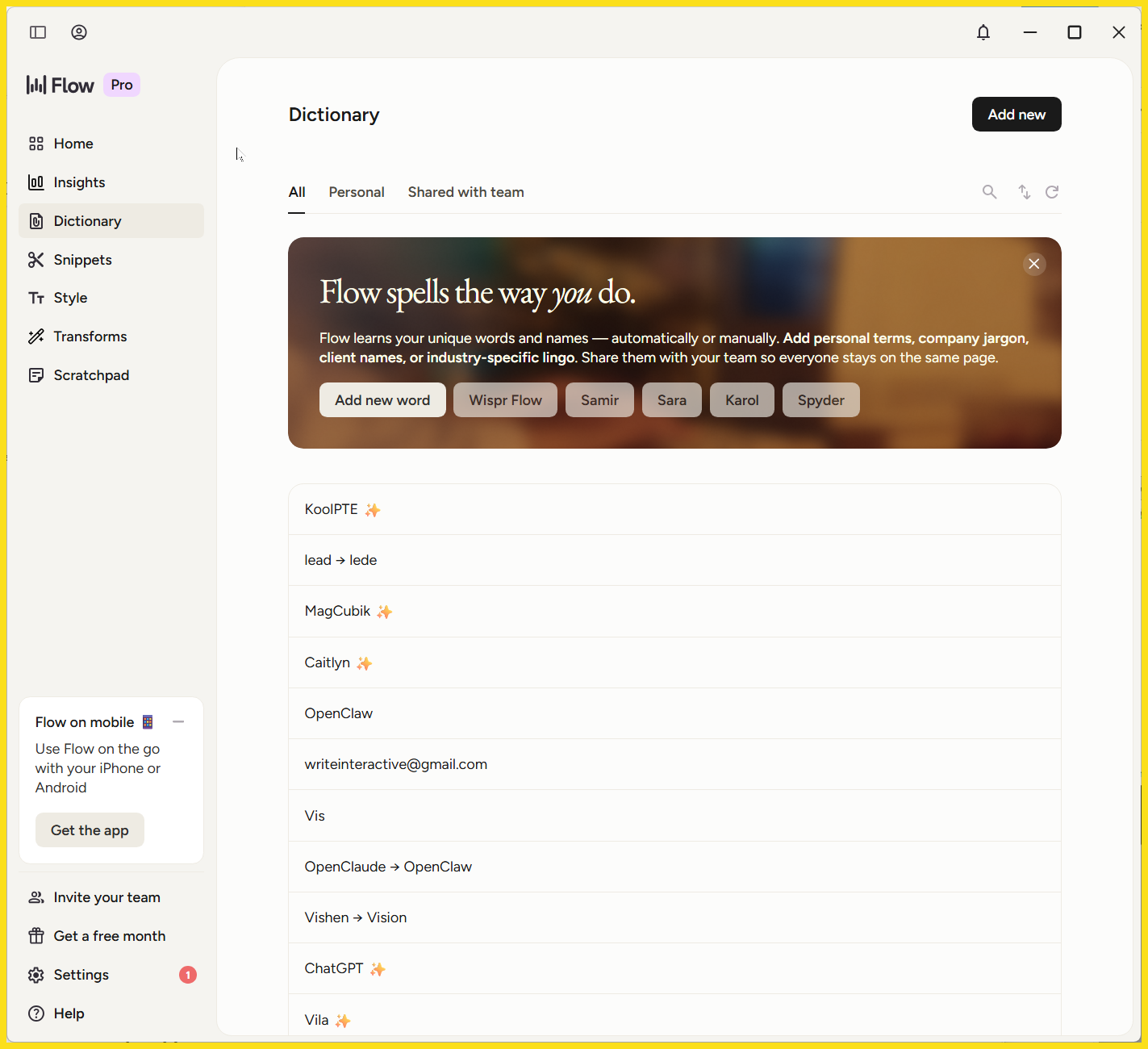
Barely any learning curve: drop client names and technical terms into your Custom Word List, your custom dictionary, so Flow stops guessing.
Download Wispr Flow and add a few technical terms before your first long dictation session.
The Features That Make Wispr Flow Different
The key features are the heart of this Wispr Flow review, because they separate Flow from basic dictation. These core features make Wispr Flow feel premium, one reason Wispr Flow wins.
- AI Auto-Edits. Cleans filler words, fixes punctuation, and formats lists in real time.
- Command Mode. Highlight text and use voice commands like "make this more concise," and Flow rewrites it.
- Custom dictionary. Flow learns your speech patterns and technical terms; add jargon and client names by hand.
- Snippet library. Speak a cue and Flow pastes a full block, like a scheduling link.
- Whisper Mode. It recognizes whispered natural speech for quiet rooms.
- Tone adaptation. It adjusts formality across different applications.
- 100+ languages, synced across Mac, Windows, the iPhone app, and Android, with early access still rolling out.
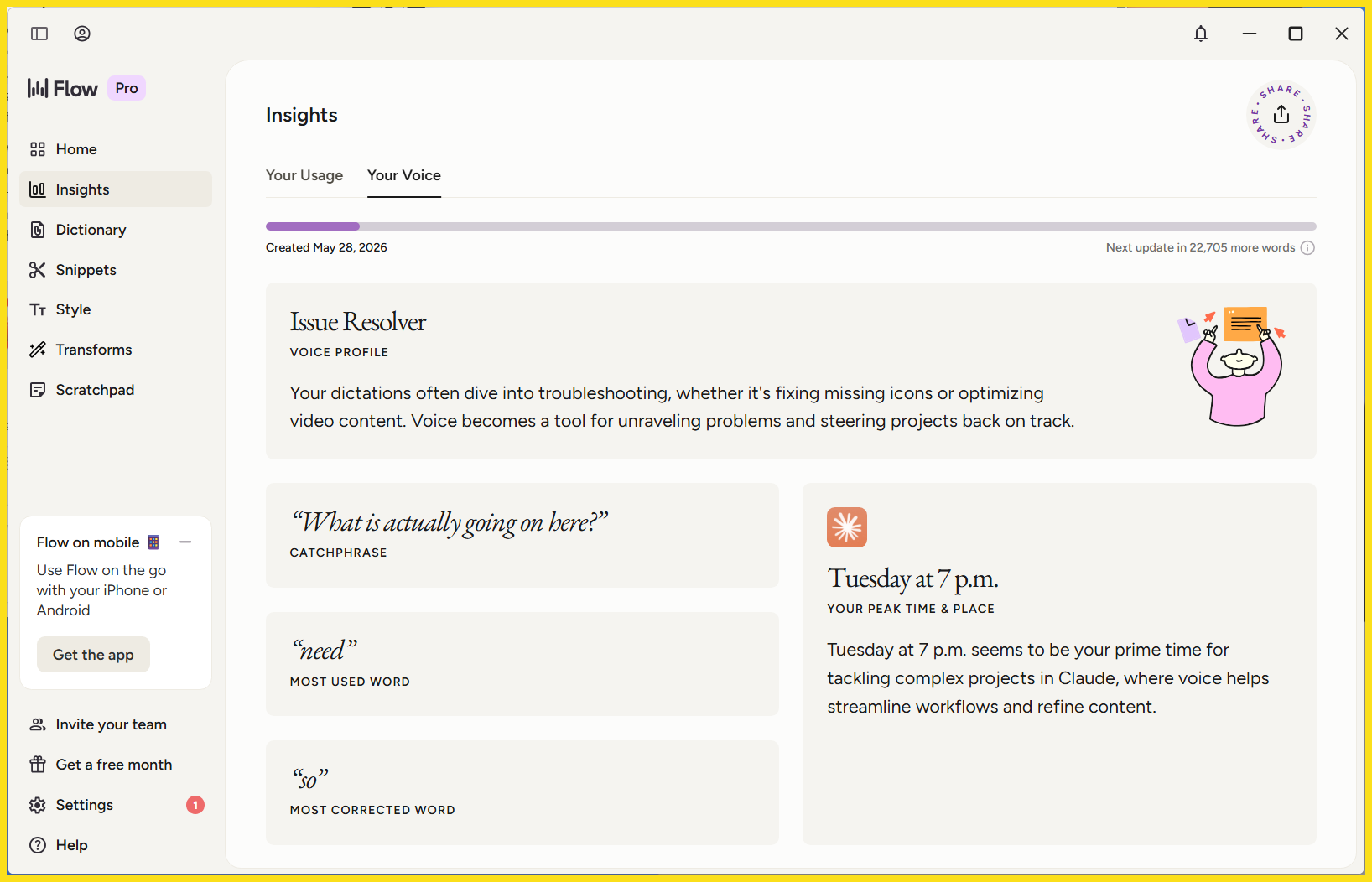
These advanced features are impressive features because Wispr Flow understands natural language.
What I said: "Okay so the thing is uh we need to update the API endpoint wait no the webhook endpoint before the client call."
Wispr Flow output: "We need to update the webhook endpoint before the client call."
Real-World Use Cases
One question runs through this Wispr Flow review: where does it help? For me and a lot of knowledge workers, it shines across:
- Email replies in Gmail and Outlook
- Slack messages and DMs
- Asana and project management comments
- Notion and Google Docs
- AI prompts, where you speak a better prompt into ChatGPT, Claude, or Perplexity
- Mobile notes and brain dumps
- Technical documentation and client updates
It is a daily driver for sales teams and support teams, anywhere voice-first input beats typing.
Try Wispr Flow on one real email, task comment, or AI prompt before judging it.
Wispr Flow vs Built-In Dictation Tools
No honest Wispr Flow review skips the built-in dictation tools already on your machine. Windows Voice Access is great for accessibility and navigation, and I still use it. Its dictation is the weak spot, with that one-in-five miss rate. Apple Dictation is fine for quick voice input. Among voice dictation tools, Flow is the one I reach for.
For the Windows-specific side-by-side version, read my Wispr Flow vs Windows Voice Access comparison.
| Feature | Wispr Flow | Windows Voice Access | Apple Dictation |
|---|---|---|---|
| Built in | No | Yes | Yes |
| Free | Limited free plan | Yes | Yes |
| Voice navigation | Not the main use case | Strong | Limited |
| Dictation cleanup | Strong | Basic | Basic |
| Filler word removal | Strong | Limited | Limited |
| Handles stumbles | Strong | Limited | Limited |
| Custom vocabulary | Strong | Limited | Limited |
| Best for | AI-polished writing | Accessibility and navigation | Quick dictation |
A full comparison of these voice tools is coming next: Wispr Flow vs Apple Dictation vs Windows Voice Access.
Wispr Flow Pricing
Every Wispr Flow review has to answer the real question, so here is the subscription model from the official pricing page.
- Free (Basic): a free Basic plan with a weekly word limit of 2,000 words, fine for light use.
- Pro: $15 a month, or about $12 annually, with a 14-day free trial and no credit card required. It unlocks unlimited words and unlimited dictation.
- Team plan: $10 to $12 per user, three-seat minimum, with a bulk pricing discount for larger groups.
- Enterprise plans: custom pricing with HIPAA compliance, privacy controls, and admin tools.
Stay on the free version if you dictate a little. For serious buyers, the paid plan is the kind of tool that pays for itself.
Start with Wispr Flow free, then upgrade only if it saves real time. Any current promo will apply automatically.
What I Like and What I Don't Like
This is the part of the Wispr Flow review where I give you the good stuff and the bad.
What I like:
- Excellent dictation quality that cleans up messy natural speech
- A big, measurable speed boost over typing
- Custom dictionary and Command Mode handle jargon and edits easily
- Works across different apps, on desktop and mobile
- Genuinely helpful for accessibility and hand-pain workflows
What I don't like:
- It requires an internet connection, with no offline mode
- Cloud processing means your voice data leaves your machine
- Performance can degrade during server issues
- Serious daily work needs a paid plan
- It is not a replacement for Windows Voice Access navigation
Now the privacy concerns. Wispr Flow runs on cloud-based AI models, fine for everyday work but risky for sensitive information in legal or medical settings. The good news: early versions raised more flags than today's. Recent comments and viral Reddit threads mention it adding itself to startup items, so check after install.
| Concern | Why It Matters | My Take |
|---|---|---|
| Cloud processing | Voice leaves your device | Fine for normal work, risky for sensitive data |
| Startup and resources | Always-on tools should stay light | Worth checking after install |
| Data and training | Users need clear consent | Turn on Privacy Mode for zero data retention |
Privacy Mode gives zero data retention, discarding your voice data after transcription. It is off by default, so legal professionals and anyone handling sensitive information should switch it on, full stop.
Wispr Flow Alternatives
If this Wispr Flow review has you weighing options, here are the main voice dictation tools.
- Apple Dictation and Windows Voice Access: best for free, basic voice input and navigation.
- Superwhisper and MacWhisper: better for local or offline work.
- Dragon: the professional heavyweight.
- Otter, Fireflies, and Fathom: for meeting transcription, not everyday typing.
Built-in tools win on price, local apps on privacy, meeting tools on calls. Flow wins for polished writing wherever your cursor is.
Try Wispr Flow if built-in dictation keeps making you clean up the same mistakes.
FAQ
I get the same questions every time I mention this Wispr Flow review, so here are straight answers.
Q: Is Wispr Flow free?
A: Yes, there is a free version with a weekly word limit of 2,000 words. It tests whether voice dictation fits your daily work, but heavy users will want unlimited dictation on a paid plan.
Q: How much does Wispr Flow cost?
A: Pro is $15 a month, or $12 annually. The subscription model includes a free trial with no credit card required. The team plan is $10 to $12 per user; enterprise plans are custom. Check the official pricing page.
Q: Does Wispr Flow work on Windows?
A: Yes. This AI voice dictation app runs on Windows, Mac, the iPhone app, and Android, and your custom dictionary syncs across different apps. The Mac was slightly better in testing, but Windows was close.
Q: Is Wispr Flow better than Apple Dictation?
A: For polished writing, yes. Apple Dictation handles basic voice input but will not remove filler words or fix stumbles. Wispr Flow does both, in real time. For real writing, Flow wins.
Q: Is Wispr Flow better than Windows Voice Access?
A: It depends. For dictation quality, Wispr Flow wins, since Windows Voice Access missed about one word in five for me. But Voice Access is stronger for navigation and voice commands. I navigate with it and write with Flow.
Q: Does Wispr Flow work offline?
A: No. Wispr Flow has no offline mode and needs an internet connection, since cloud-based AI models process your speech. For local voice tools, try Superwhisper or MacWhisper instead.
Q: Is Wispr Flow private and safe to use?
A: It is cloud-based by default, so voice data leaves your machine. Review the privacy controls before sharing sensitive information, and turn on Privacy Mode for zero data retention. Wispr AI offers HIPAA compliance on enterprise plans for legal professionals.
Wispr Flow Review: The Final Verdict

After living in the app every day, my Wispr Flow review verdict is simple: it is worth it if it replaces a meaningful amount of typing.
It shines for knowledge workers with hand pain, heavy inboxes, technical terms, or a voice-first style.
It is not perfect: privacy, resource use, and internet dependence matter. But the dictation is good enough that typing feels like a step backward.
Download Wispr Flow if typing is slowing you down. Any current promo will apply automatically.
Want help with this kind of work?
We turn ideas like the one in this post into production-ready content, creative, and infrastructure.
Start a project →